 Rehla User Manual
Trips
Managing your travel trips
Trips are the core travel packages you offer to your clients. A trip contains all the essential details about a journey, including where it goes, when it happens, how much it costs, and what is included.
Overview
The Trips section allows you to manage your entire catalog of travel packages. From here, you can create new trips, update existing ones, and track their status from planning to completion.
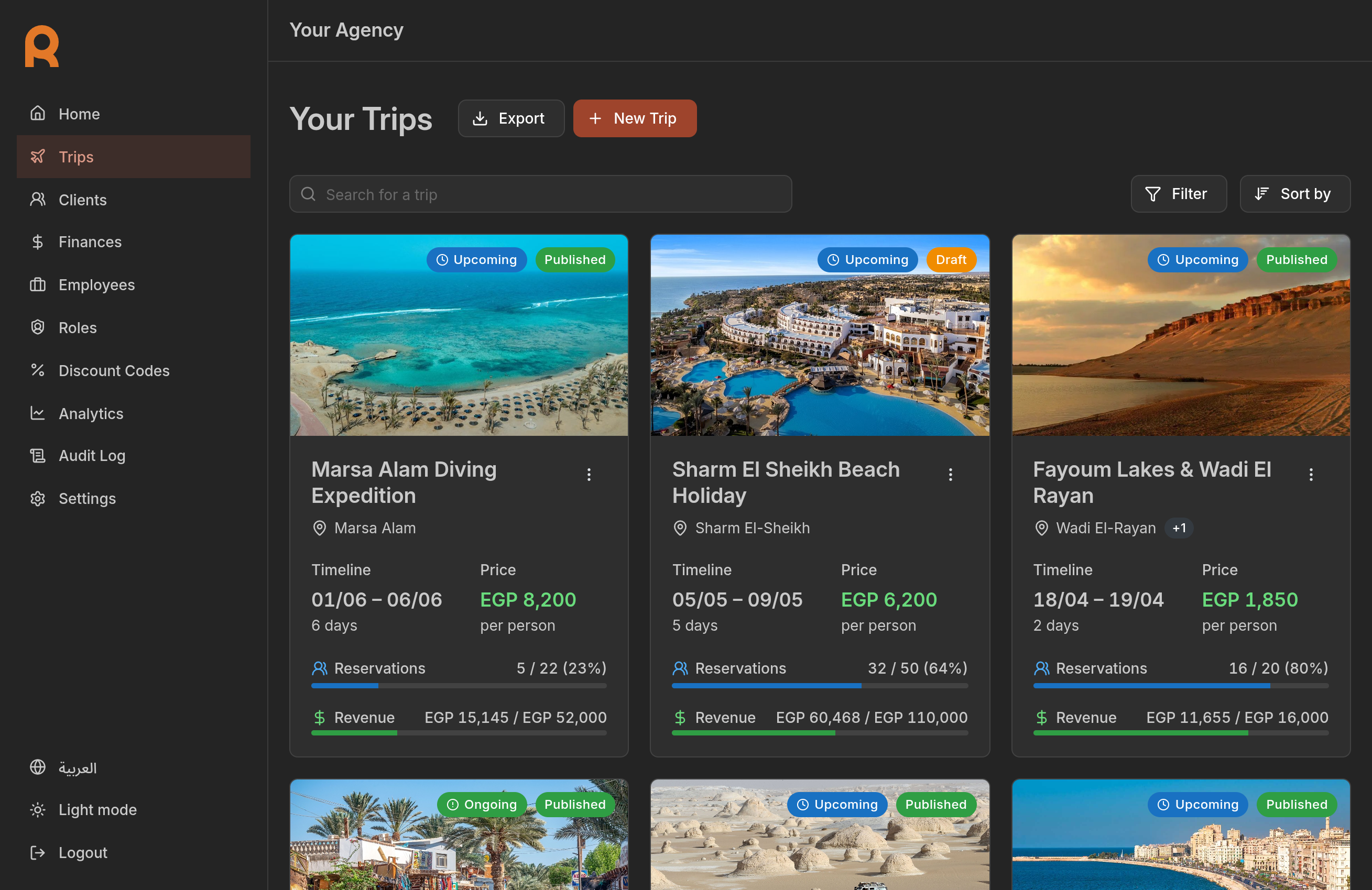
Key features
- Create and customize: set up detailed itineraries with locations, dates, and pricing.
- Manage bookings: track reservations and capacity in real-time.
- Financial control: set pricing for adults, children, and groups.
- Policies: define reservation and cancellation deadlines and fees.
Trip lifecycle
A trip goes through three main stages automatically based on its dates:
Upcoming
The trip is scheduled for a future date.
Ongoing
The trip is currently in progress.
Completed
The trip has finished.
Trip visibility
Trips can also exist in two visibility states: Draft and Published.
-
Draft: While a trip is in draft mode, it is hidden from clients and cannot be booked. Use draft status to build or update trip details before making them public.
-
Published: Once a trip is ready, publish it to make it visible in the client app. Only published trips can be searched, viewed, or booked by clients.
You can toggle a trip's visibility status at any time from the Trip options menu. Switch back to Draft to temporarily hide a published trip, or publish a draft when it's ready.
Note
Clients who already have a reservation for a trip will still be able to see its details and access information about it, even if the trip is currently in draft mode.
Getting started
To get started, navigate to the Trips tab in the sidebar. You will see a list of all your trips, where you can filter, search, or add a new one.